100% offline & private

Know where
your money
actually goes

Track every expense in seconds. Beautiful categories, powerful reports, 150+ currencies — all stored locally on your device.

150+
Currencies
130+
Category Icons
12
Languages
Spendline expense tracking interface
★★★★★
Rated on App Store
No data collection
Available in 12 languages
150+ currencies
How It Works

Three taps. That's it.

Adding an expense takes literally seconds. No complicated forms, no friction — just tap, enter, done.

1 Enter Amount

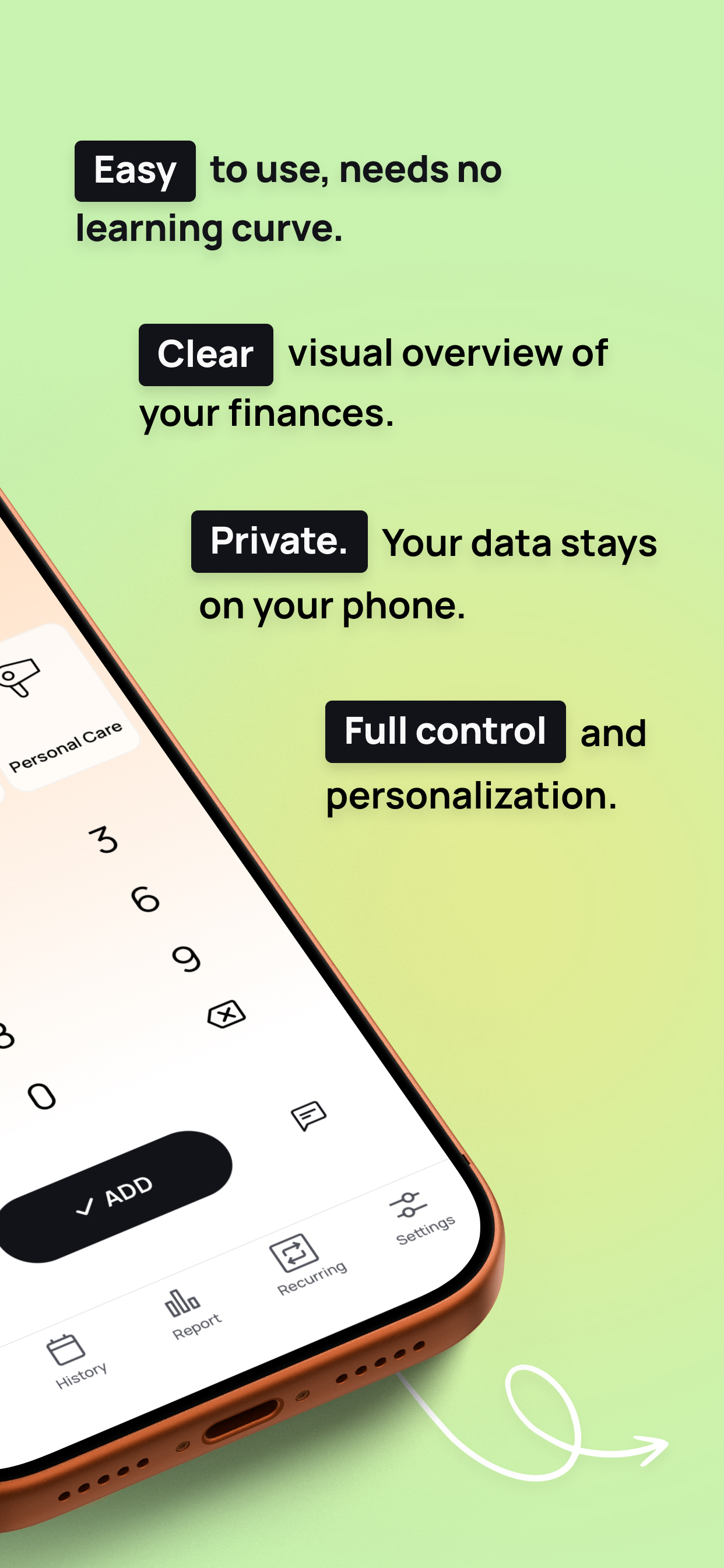
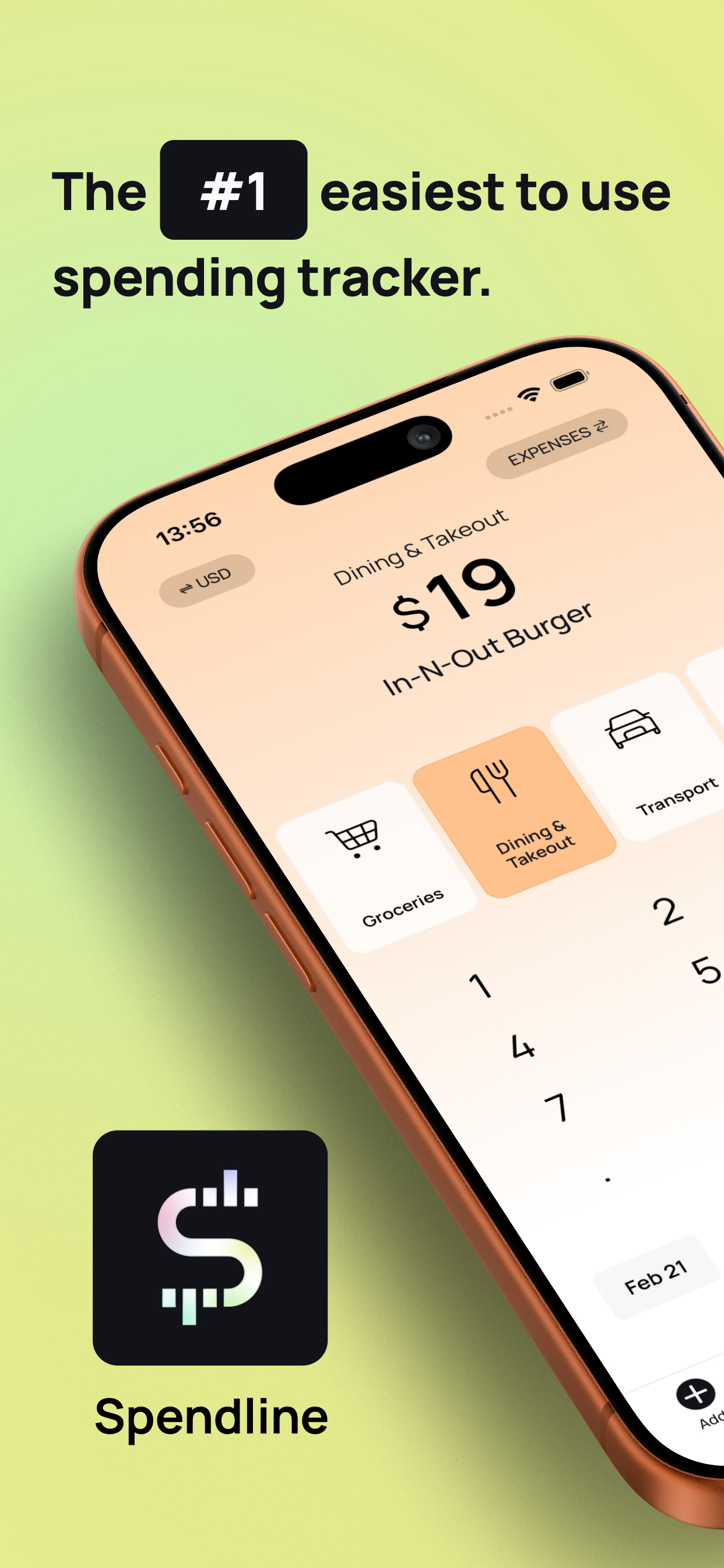
A custom number pad
built for speed

No keyboard fumbling. Our purpose-built number pad with haptic feedback makes entering amounts feel instant and satisfying. Support for decimals, backspace, and amounts up to 8 digits.

  • Haptic feedback on every tap
  • Track expenses and income
  • Quick currency switching for travel
Spendline number pad
Spendline category selection
2 Pick a Category

130+ icons.
20 vibrant colors.

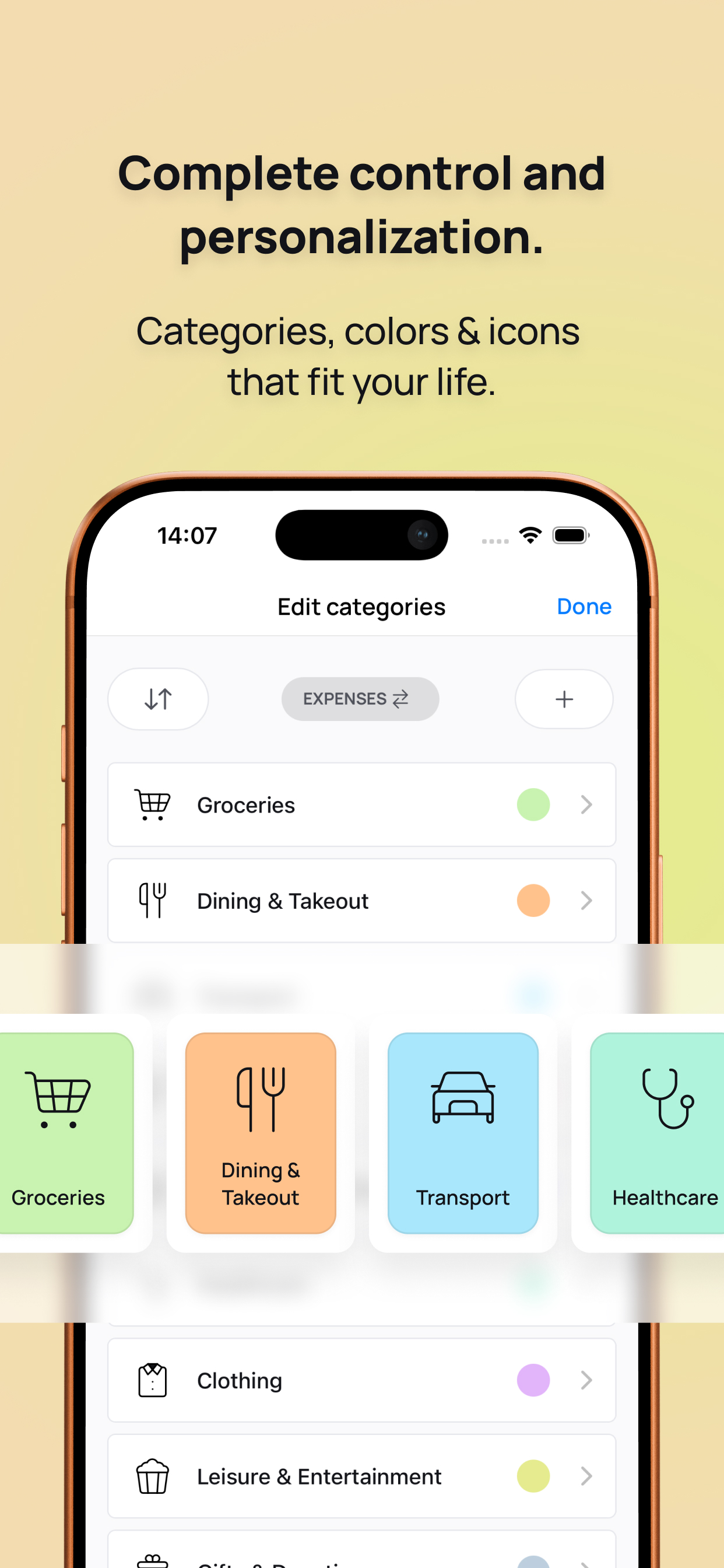
Swipe through your categories and tap to select. Every category gets its own color and icon so you can instantly recognize where your money went. Fully customizable — add, edit, reorder, and personalize.

  • Swipeable category carousel
  • Drag-and-drop reordering
  • Separate expense & income categories
3 Done

Saved with a satisfying
swoosh animation

Hit save and watch your amount fly into its category with a smooth cinematic animation and sound effect. Add an optional description or backdate to any past day. Smart suggestions remember your frequent entries per category.

  • Smart title suggestions from history
  • Backdate expenses to any day
  • Cinematic save animation & sound
Features

Everything you need,
nothing you don't

Powerful enough for detailed tracking, simple enough to use every day.

Powerful Reports

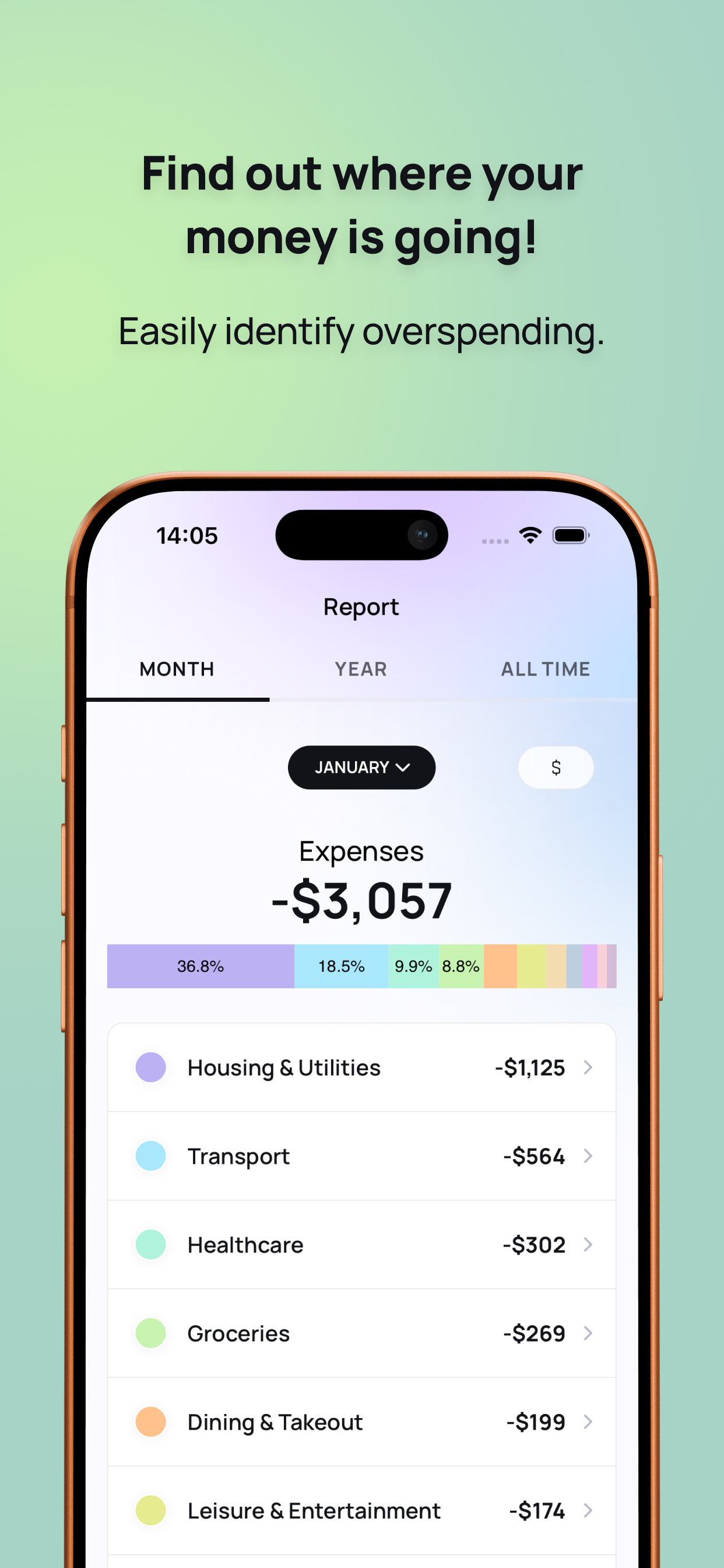
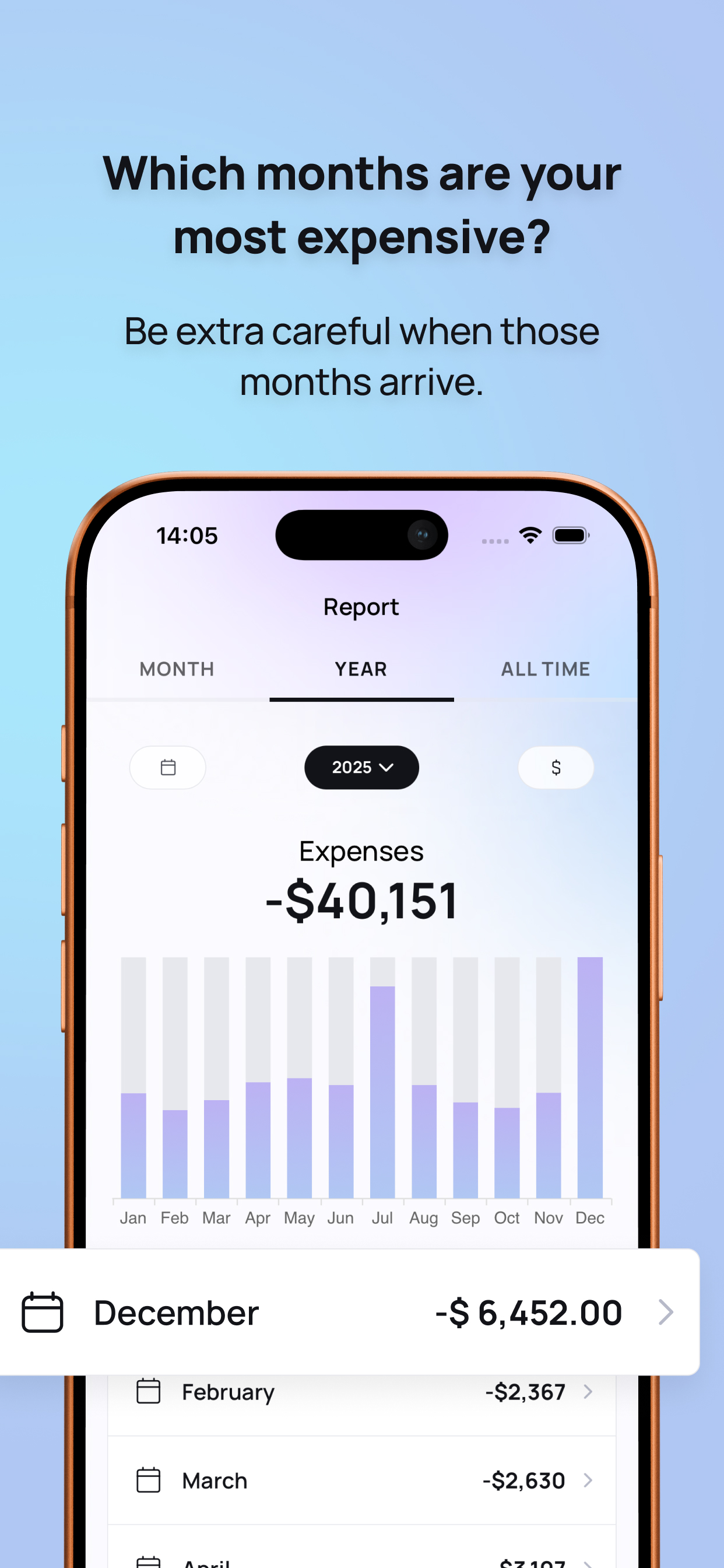
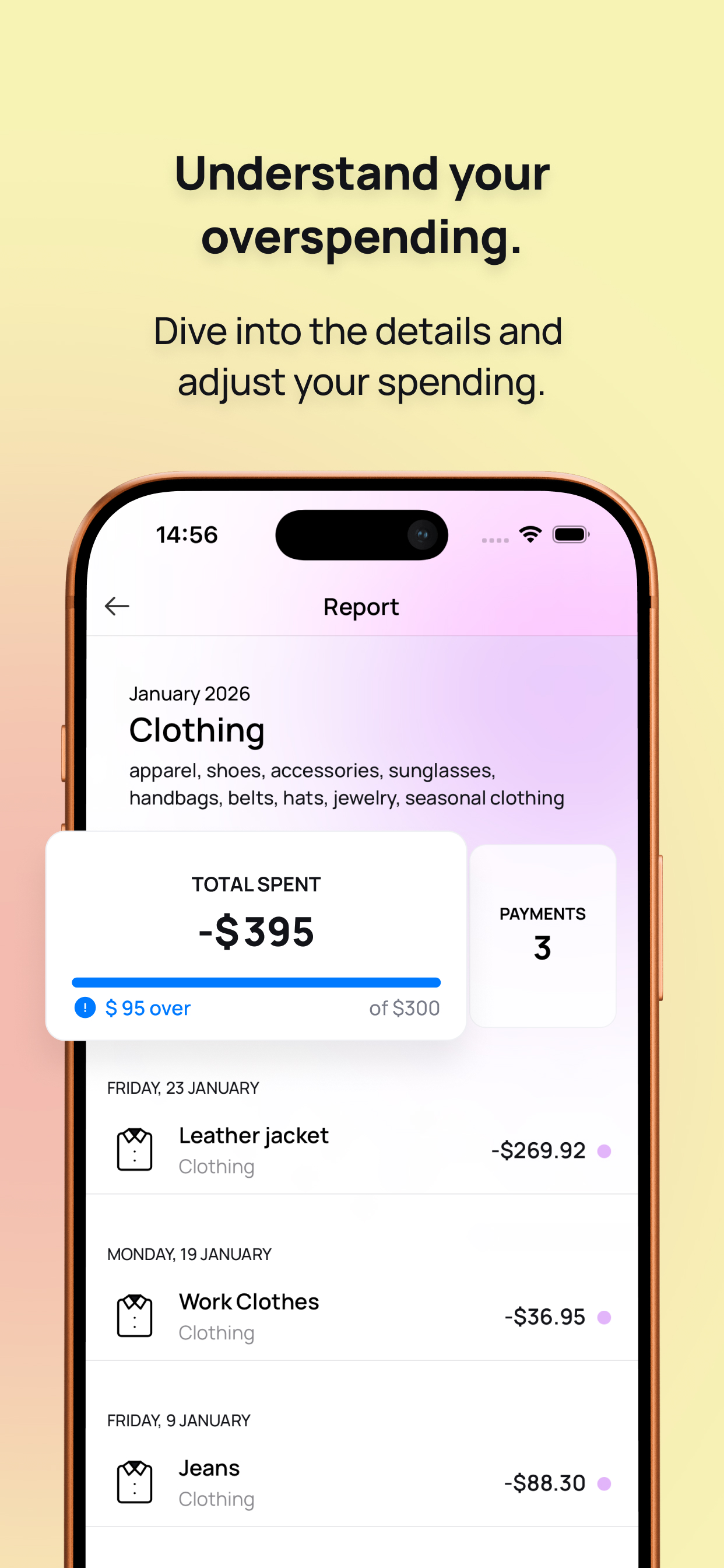
Beautiful charts with monthly, yearly, and all-time views. Category breakdowns, bar charts, pie charts, and savings trends.

Recurring Payments

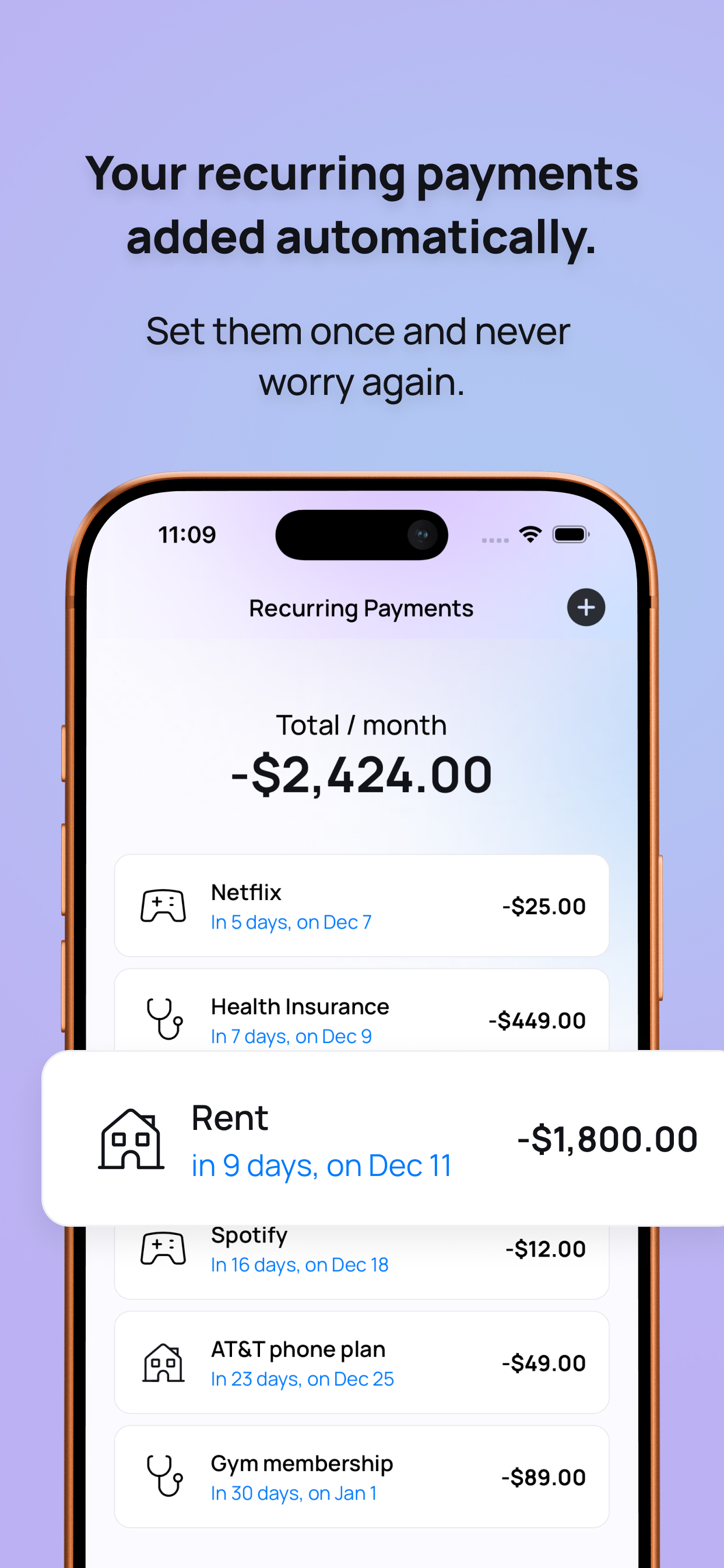
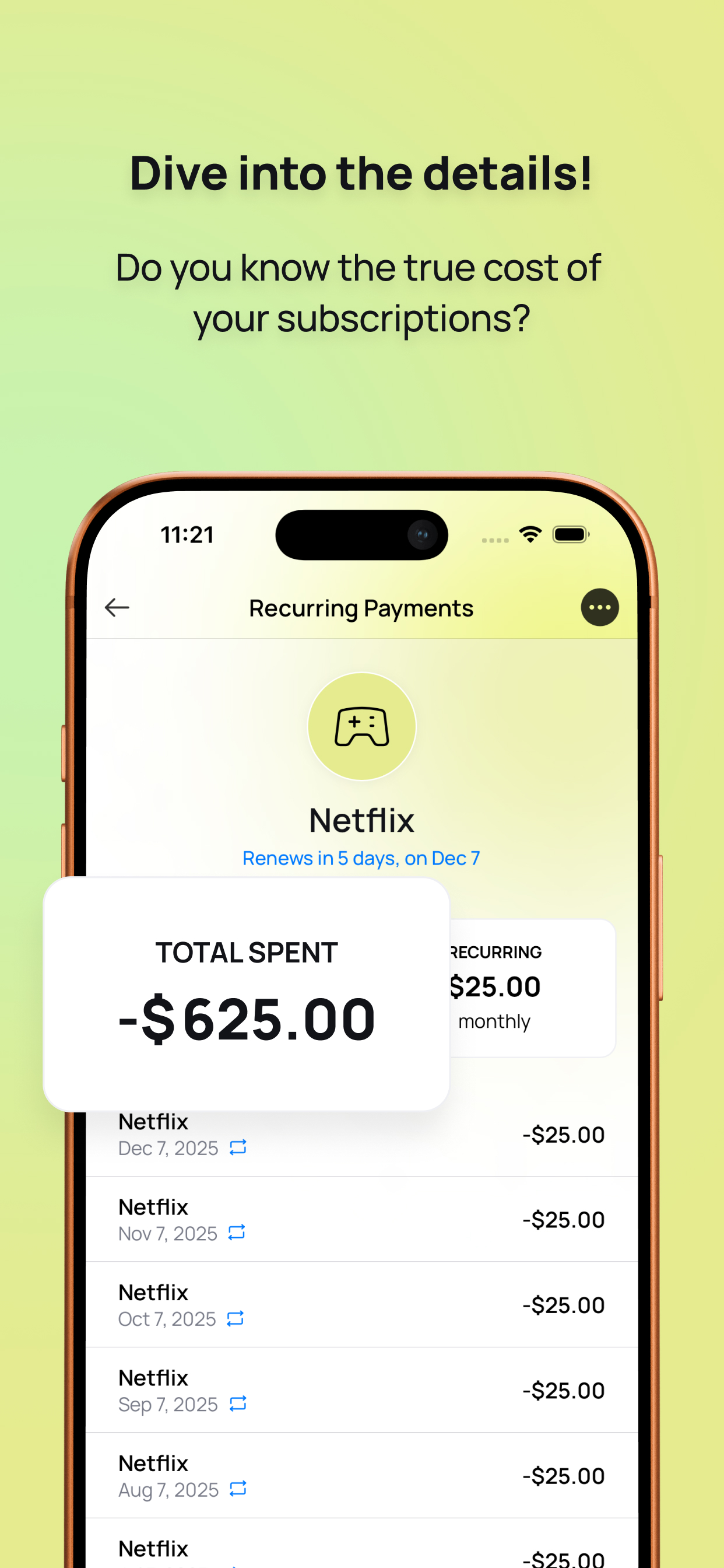
Set up subscriptions and bills once. Spendline automatically creates entries every month — even backfilling missed ones.

150+ Currencies

Switch currencies on-the-fly for individual expenses. Live exchange rates auto-convert to your base currency.

Smart Budgets

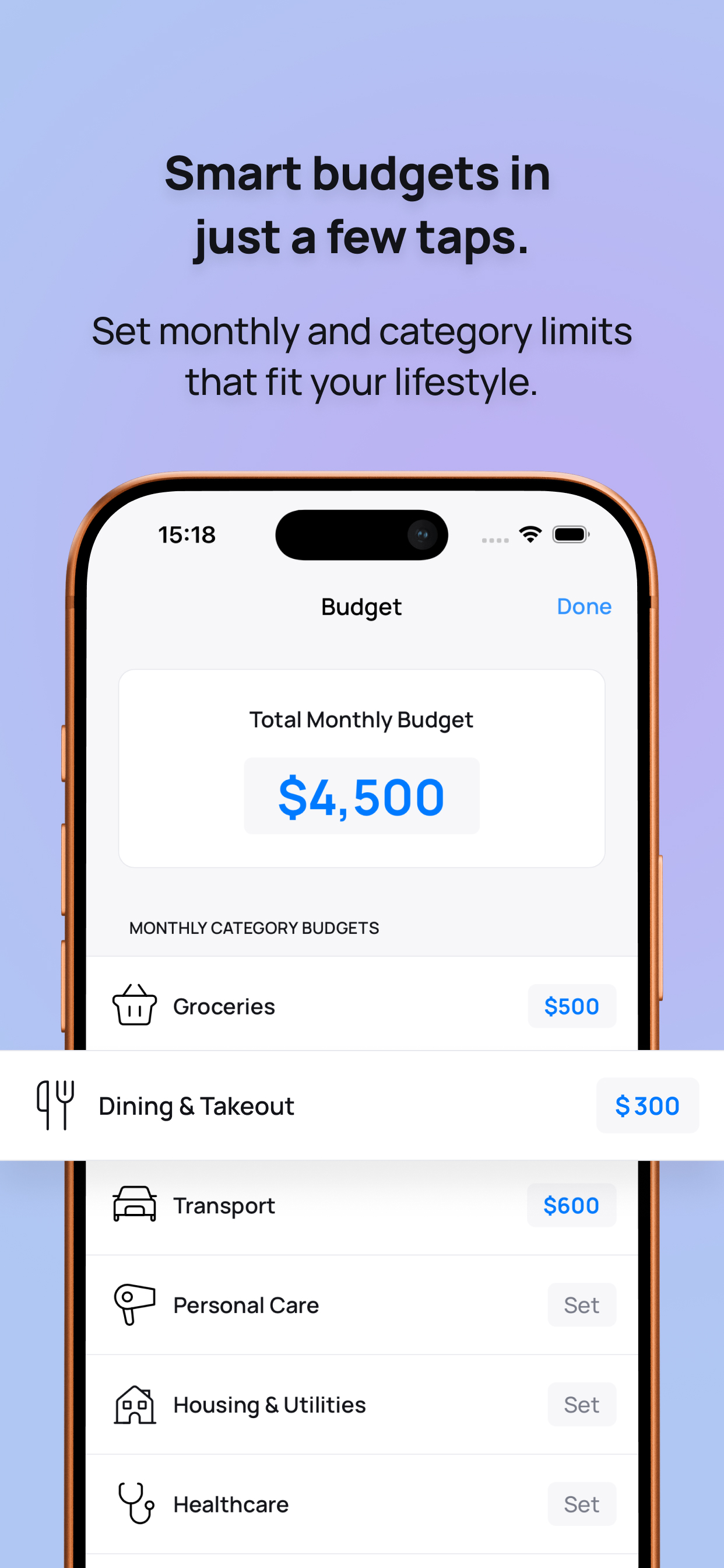
Set monthly budgets per category or globally. See remaining budget in reports with clear over-budget warnings.

Full History

Scroll through all transactions by date. Tap any expense to edit amount, description, category, or date.

12 Languages

English, Spanish, German, French, Italian, Chinese, Hindi, Portuguese, Arabic, Japanese, Urdu, and Romanian.

Spendline monthly report Spendline yearly report
Reports & Insights

See the full picture
of your finances

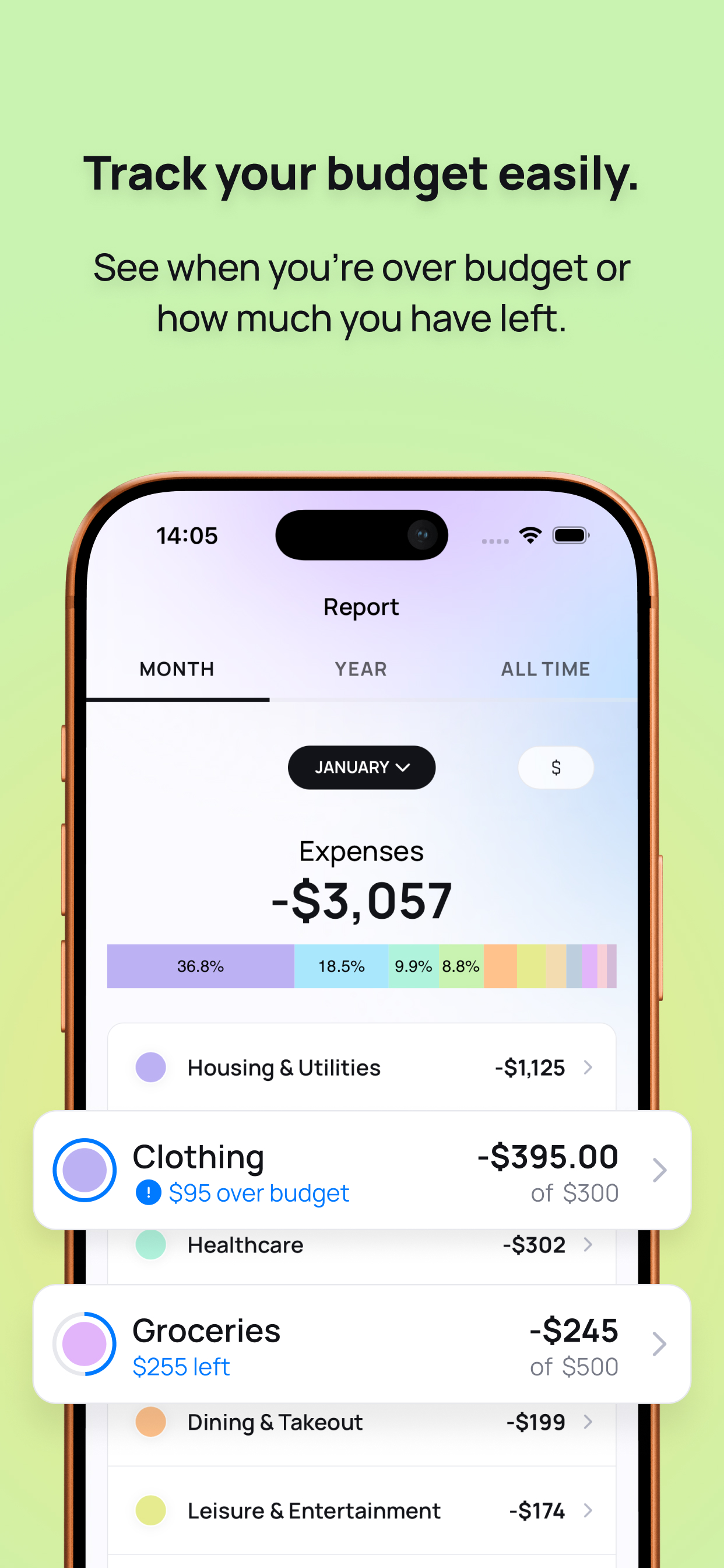
Spendline transforms your raw expenses into beautiful, actionable insights. Switch between monthly, yearly, and all-time views to understand your spending patterns.

Category Breakdown

Color-coded bar charts show exactly which categories eat up your budget, with percentages and amounts.

Savings Trends

Income vs. expenses line charts and donut charts reveal your savings ratio over time.

Drill-Down Details

Tap any category to see every individual expense within it for the selected time period.

Recurring Payments

Set it once,
forget about it

Rent, Netflix, gym membership — set up your recurring expenses once and Spendline automatically logs them every month. It even backfills any missed entries when you open the app.

Monthly recurrence Optional end date Smart date handling Next payment preview
Spendline recurring payments
Spendline multi-currency
Multi-Currency

Travel the world,
track in any currency

Spending abroad? Switch to any of 150+ currencies for a single expense. Live exchange rates automatically convert everything back to your base currency. Your recent currencies are always one tap away.

Live exchange rates Auto-conversion Recent currencies Locale-aware formatting
Screenshots

See it in action

Every screen is designed to be clean, fast, and delightful to use.

Screenshot 1 Screenshot 2 Screenshot 3 Screenshot 4 Screenshot 5 Screenshot 6 Screenshot 7 Screenshot 8 Screenshot 9 Screenshot 10 Screenshot 1 Screenshot 2 Screenshot 3 Screenshot 4 Screenshot 5 Screenshot 6 Screenshot 7 Screenshot 8 Screenshot 9 Screenshot 10
Privacy First

Your money data
stays on your device

No cloud. No account. No tracking. Spendline stores everything locally on a database on your phone. Your financial data never leaves your device.

100% Offline

All data stored locally on your phone. Works without an internet connection.

No Account Required

No sign-up, no login, no email. Open the app and start tracking immediately.

Zero Data Collection

We don't collect, store, or sell your financial data. Period.

And More

The small details matter

Every interaction has been polished to make tracking expenses feel effortless.

📳

Haptic Feedback

Every tap feels satisfying with native iOS haptics

🔔

Daily Reminders

Evening notifications to log today's expenses

🎨

20 Color Palette

Vibrant colors make categories instantly recognizable

🔄

Income Tracking

Track income alongside expenses for a complete picture

✏️

Edit Anything

Tap any past expense to change amount, date, or category

💡

Smart Suggestions

Auto-suggests titles based on your most frequent entries

📊

Savings Insights

See your savings percentage and trends over time

Instant Launch

Native performance — no loading screens or spinners

Spendline

Start tracking your
expenses today

Take control of your spending. Free to use, no account required, and your data stays private.